
Stop patching WordPress. Move to a CMS we keep secure for you.
We've run WordPress for clients for years. It means days of plugin and theme updates, plugins that get abandoned or turn out to have a hole, and login and exploit attempts every day. So we built our own CMS, on Laravel, with no third-party plugins: every feature is in one codebase that we write, test and patch ourselves. It takes your existing design, runs in every language you need, and any update it needs is our job, not yours.
- Third-party plugins
- None. One codebase, written by us
- Updates and patches
- Done by us, automatically where it's safe
- Built on
- Laravel, kept on its current version
- Languages
- As many as you need
- Design
- Your existing template, converted
- Published
- Live, static on a CDN, or headless
- Online shop
- Built to your needs and connected
- Looked after by
- Us: hosting, updates, backups, monitoring
- Price
- Quoted per project
Sound familiar?
- Every week another plugin wants an update, and one of them breaks the site.
- Our security plugin keeps reporting login attempts from all over the world.
- A plugin we rely on was abandoned, and now it has a known hole.
- We were hacked once, and we still don't know how they got in.
- We like our design, but not the CMS behind it.
- We need the site in three languages, and translating every page is a chore.
Less to attack, nothing for you to patch
Most WordPress break-ins come through plugins and themes: code from many different authors, each updated on its own schedule, or not at all. Our CMS has none. Everything it does is in one codebase that we write, review and test, and the public site can be published as plain files with no PHP and no database behind it.
- No plugins or themes from strangers: every feature is built into the CMS and covered by its automated tests.
- Static publishing turns the public site into plain files on a CDN. There's no login page or database to attack, and the admin doesn't need to be on the public internet at all.
- Passwords are stored hashed, every form is protected against cross-site requests, and only active admins can reach the admin area.
- Admin and member logins lock for 15 minutes after repeated failed attempts, so password guessing goes nowhere. Forms and comments are rate-limited too.
- Raw HTML pasted into an article is shown as text, not run, and unsafe links are blocked.
- Uploads are limited by type and size, and every SVG image is cleaned of scripts before it's stored.
- Comments are off unless you turn them on, wait for approval, and carry spam traps, with an optional Cloudflare Turnstile check.
- Plugins and themes
- WordPress: many authors, many update cycles. Ours: none
- Who installs updates
- WordPress: you, or whoever you pay. Ours: us
- Public site
- Ours can be plain files on a CDN, with nothing to log in to
- New features
- Built into the CMS and tested, not added as a plugin
Patching is our job, and it's automated
Any update the CMS or its servers need, we do. Most of it runs on its own, through the Ansible automation we use across every server we run.
Server updates every night
Operating system security updates install automatically. When one needs a reboot, the servers restart one at a time and each service is checked before the next.
Containers scanned nightly
Every running container image is checked each night for known vulnerabilities, and our monitoring alerts us as soon as a fix is available.
Patches rolled out safely
Ansible rolls patched images out server by server, checks that every site still answers, and stops with a ready rollback if one doesn't.
Laravel and PHP kept current
We update the framework, PHP and every library ourselves, and run the CMS's automated tests before a release goes live.
No update buttons for you
There's no stream of plugin updates to approve. Your editors write; the patching happens behind them.
Backed up and watched
Every site is backed up and monitored like everything we host, so a problem is spotted and fixed early.
What it does
Content
Articles with categories, tags, galleries and attachments, plus events, FAQs, announcements and home page banners. Drafts and publish dates.
Any number of languages
Add a language from the admin. Articles, menus, forms and SEO text are translated per language, with an optional AI first draft for an editor to check.
Members and groups
Each article is public, for members, or for chosen groups only. The rule holds on the article, in every listing and in the sitemap.
Forms
Build forms in the admin, in every language. Submissions are kept in the CMS and emailed to you.
Newsletters
Email all members or chosen groups, sent in paced batches so your mail server stays trusted.
Search engines
Titles, descriptions and a sitemap for every language, with AI suggestions for an article's SEO text.
Every language side by side
Each article, form and menu has a version for every language on the site. Editors see the languages next to each other, and one button drafts a missing translation with AI, for a person to check before it goes live.
- Add or remove a language from the admin, without a developer.
- Public addresses get the language automatically, such as /en/ and /el/.
- Visitors switch language from any page.
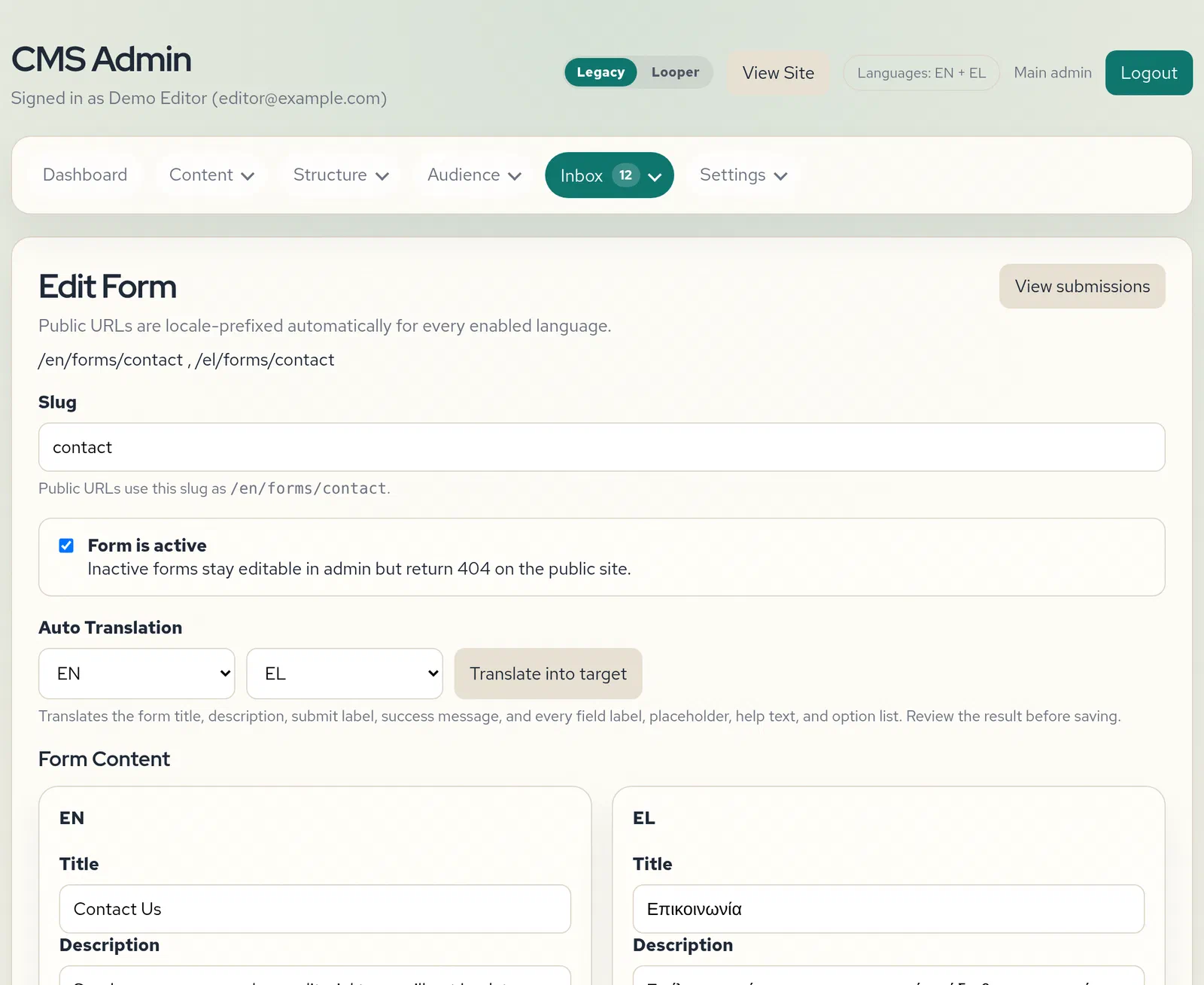
Decide who reads what, article by article
An article can be public, open to any signed-in member, or kept for chosen groups, such as subscribers or partners. The CMS checks it on every request, so a hidden article never shows up in a listing or the sitemap.
- Members and groups are managed in the admin. There's no open sign-up unless you ask for one.
- A category can set the usual access for its new articles.
- Newsletters go to all members or to chosen groups.
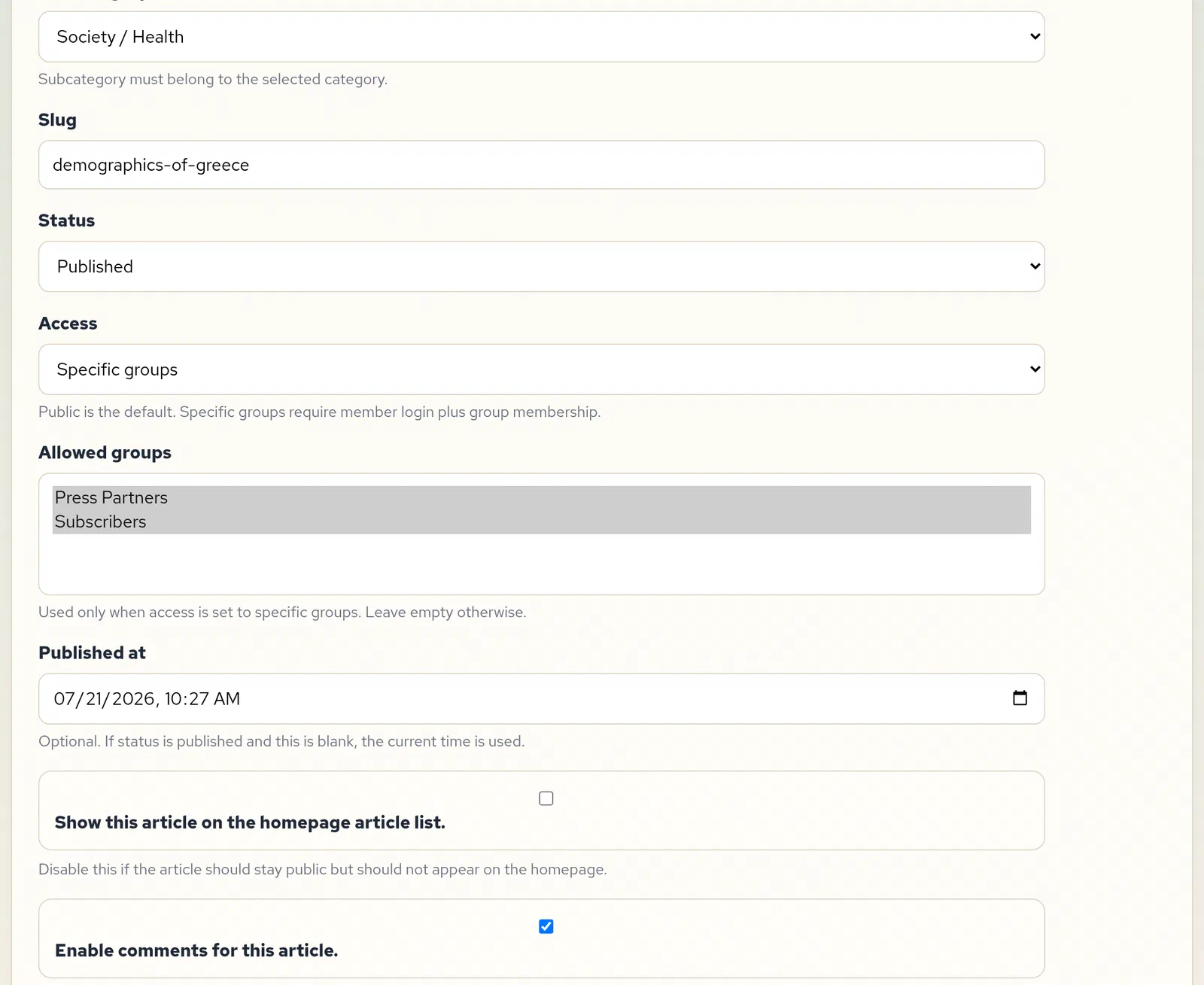
Bring your design, from any CMS
The look of a site is a theme, kept apart from its content. We build that theme from the template you already have: a WordPress theme, a template from another CMS, a static HTML design, or a new one. The content doesn't change with the theme, so a redesign later is a new theme, not a new site.
- Your design moves across, your editors get a simpler admin behind it.
- Themes can be switched from the admin, and the content stays as it is.
- Images and files are stored on the server or in Cloudflare R2.
- Two admin layouts, so editors can pick the one they find easier.
- The screenshots on this page come from our demo site, a bilingual newspaper filled with sample content.
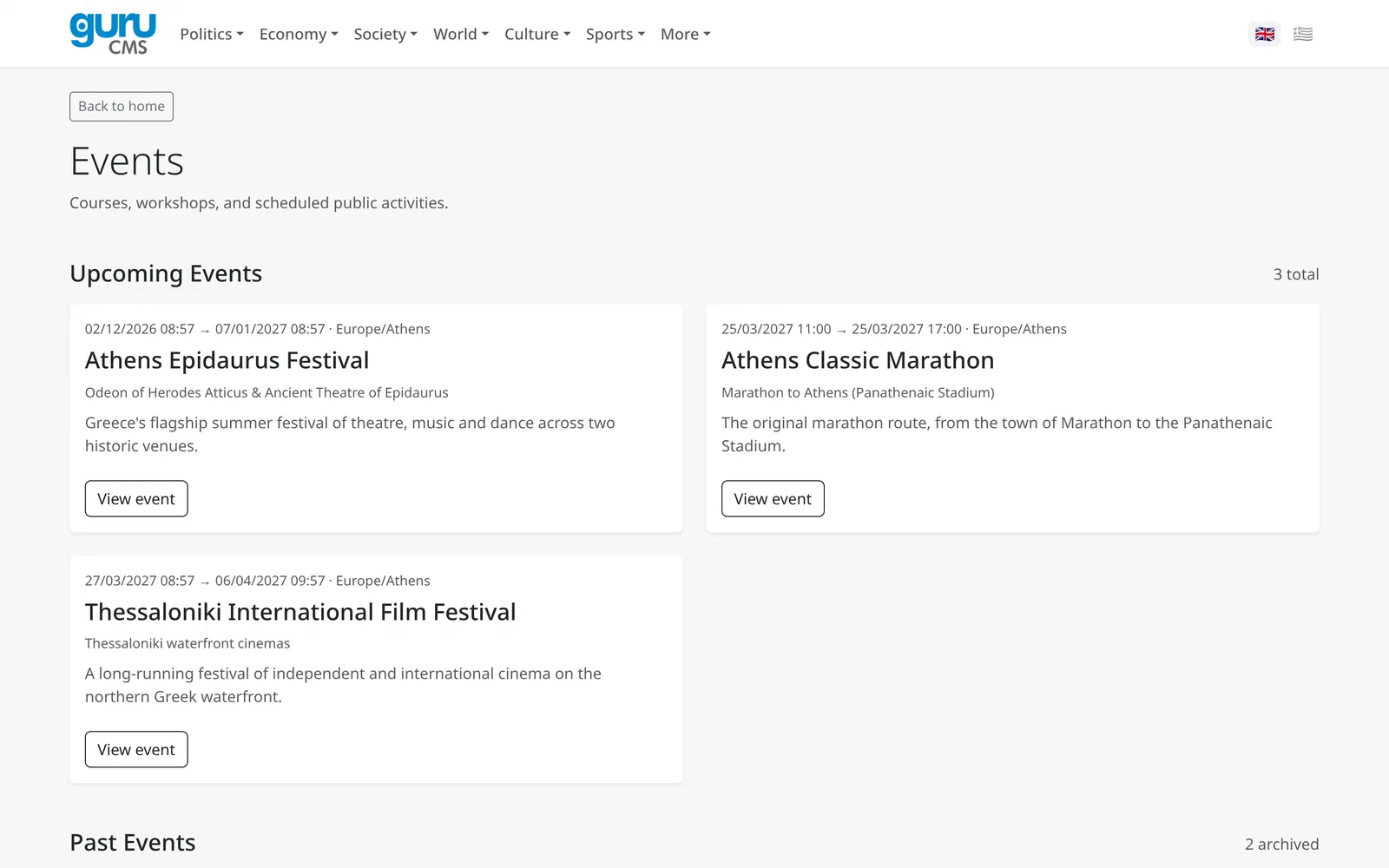
Publish it as static pages, or run it headless
A site that doesn't need member logins can be exported as plain static pages and served from a CDN such as Cloudflare. It loads fast everywhere and leaves nothing on the public side to attack. Your editors keep working in the admin as before, and the next export publishes their changes.
- Every page, in every language, with its sitemap.
- Members-only content stays out of the export.
- A site with members, comments or forms runs live on your servers instead.
- Or run it headless: the content is served by an API to a separate front end, such as a Next.js site or an app, and the API still decides who sees members-only content.
A shop built for how you sell, with security first
We don't bolt a one-size shop onto the CMS, because every business sells differently: products with options, shipping zones, VAT rules, payment methods. We build the shop around yours, on Laravel, starting from the shop we already run in production, and connect it to your site. It can stay a separate, headless application with its own code, data and admin, so a problem in one never takes down the other.
- Prices, shipping and VAT are worked out on the server from the catalogue. Nothing the browser sends can change what an order costs.
- An online payment is confirmed with the payment provider, server to server. An order is marked paid only if the payment is final, belongs to that order and matches its total to the cent; anything else is flagged for you.
- No double orders or double charges: a repeated click gets the first answer, and a paid or shipped order can never be moved back.
- Stock is locked while an order is placed and reduced exactly once, even when two customers buy the last item at the same moment.
- Order pages use a random 40-character link, not an order number, and are kept out of search engines.
- Admin sign-in locks an address out for 15 minutes after five failed attempts. Checkout and payment buttons are rate-limited, and every form is protected against cross-site requests.
- Every dependency is checked daily for known vulnerabilities, with the result in the admin. Automated tests cover payments, stock and access to orders.
- Built on
- Laravel, kept on its current version
- Payments
- Online through Viva Smart Checkout, or bank transfer
- Prices
- Stored before VAT, totals calculated on the server
- Order links
- Random, 40 characters, not indexed
- Hosting
- Backed up and monitored like everything we run
How a project goes
- 01
We look at your site
Its content, its languages, who should see what, and what it needs to do.
- 02
We convert your design
Your template becomes a theme, checked against the original on desktop and phone.
- 03
We move your content
Pages, articles, images and menus, checked page by page, with redirects from the old addresses.
- 04
We hand it over and look after it
Your editors get a walk-through. We host it, update it, back it up and watch it.
Questions
Why is it more secure than WordPress?
Because there's far less of it to go wrong. WordPress security depends on every plugin and theme you install, each from a different author, and attackers scan the internet for the ones that are out of date. Our CMS has no plugins: one codebase, written and tested by us, kept on current versions of Laravel and PHP. Published as static files, the public site has no PHP, no database and no login page for anyone to attack.
Who installs the updates?
We do, as part of looking after the site. Server security updates install automatically every night, container images are scanned nightly and patched through our Ansible automation, and we update Laravel, PHP and the CMS's libraries ourselves. You never see an update button.
What happens when a security hole is found in Laravel or PHP?
Our nightly scans and monitoring flag it, we apply the fix, run the CMS's automated tests and roll it out server by server, checking that each site still answers. A site published as static files isn't exposed in the meantime, because its public side doesn't run PHP at all.
We need a feature a WordPress plugin gave us. What now?
We build it into the CMS, so it's tested, updated and patched with everything else, instead of becoming one more plugin to keep an eye on.
Will moving off WordPress hurt our search rankings?
It shouldn't. We keep your design and content, and redirect every old address to its new one, so links and search results keep working.
Why not just stay on WordPress?
For some sites it's still the right choice, and we support it too. But if you're tired of plugin updates, security plugins and hack attempts, and you'd rather one team took care of the whole thing, from the code to the server, our CMS is the easier life.
Can it run an online shop?
Yes: a shop built for the way you sell, connected to the site. We don't add a fixed, one-size shop, because every business needs something different, so it's quoted with the project.
Where is it hosted?
On your private cluster, or as static pages on a CDN. Either way it's backed up and monitored like every site we run.
Does the AI translation send our content anywhere?
Only when an editor asks for a translation or SEO suggestion: that text goes to OpenAI for a draft, which the editor then checks. It's optional and can be switched off.
Do you also support sites on other CMSs?
Yes. Our application support covers WordPress, other CMSs and frameworks, and code someone else wrote.