Backups and Restores That Just Work
Most backup plugins are fine until your site gets large, your host kills long-running requests, or the day comes when you actually need to restore something. Guru SimpleBackup is built around that day.
It copies your WordPress database and files into a single zip, keeps a copy wherever you tell it to — including a server you control — and puts everything back with two clicks when you need it.
Purchased once from guru-host.co.uk. No subscription, no licence keys, no per-site limits. Updates are included.
What It Does
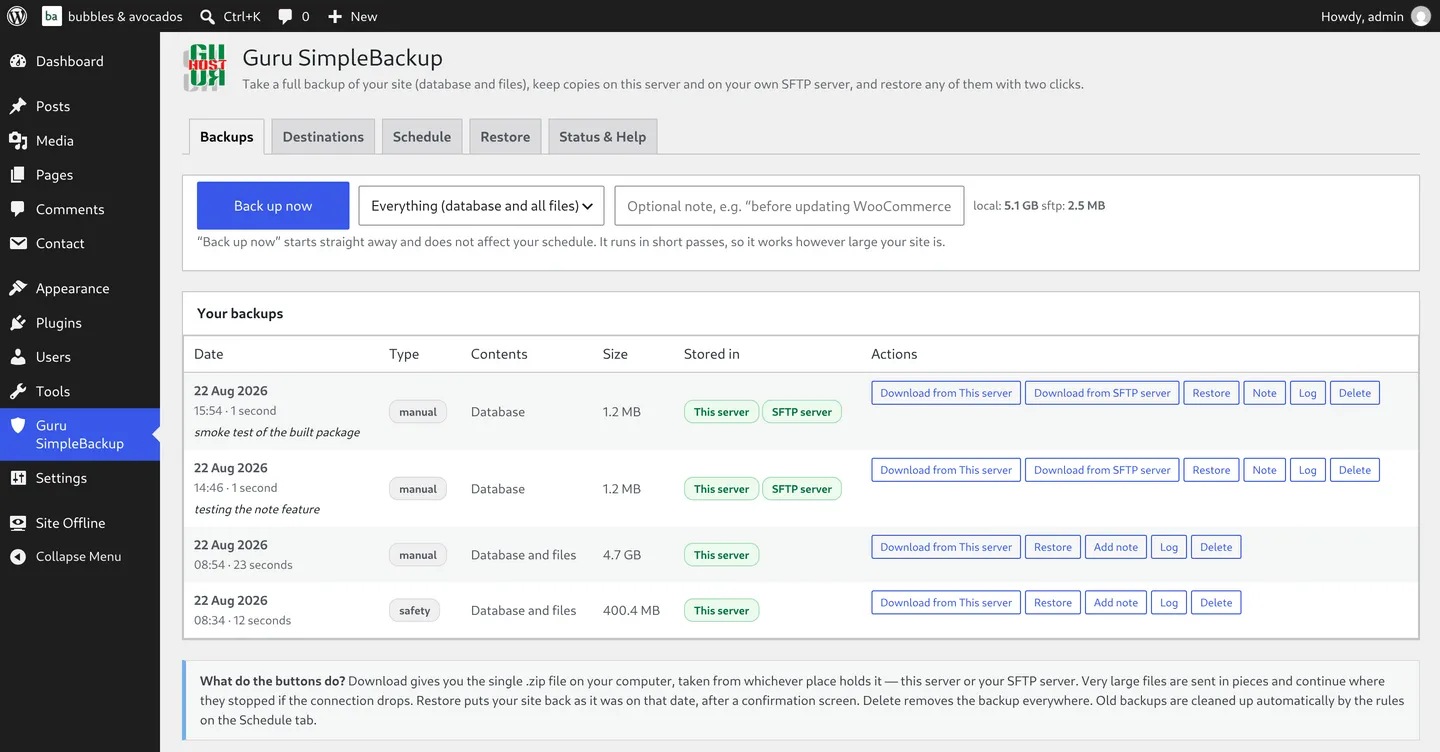
- Full backups in one zip — database, uploads, themes and plugins packed together, with WordPress core files as an option
- Two places to keep every backup — a folder on this server, and your own SFTP server, on the port and path you choose
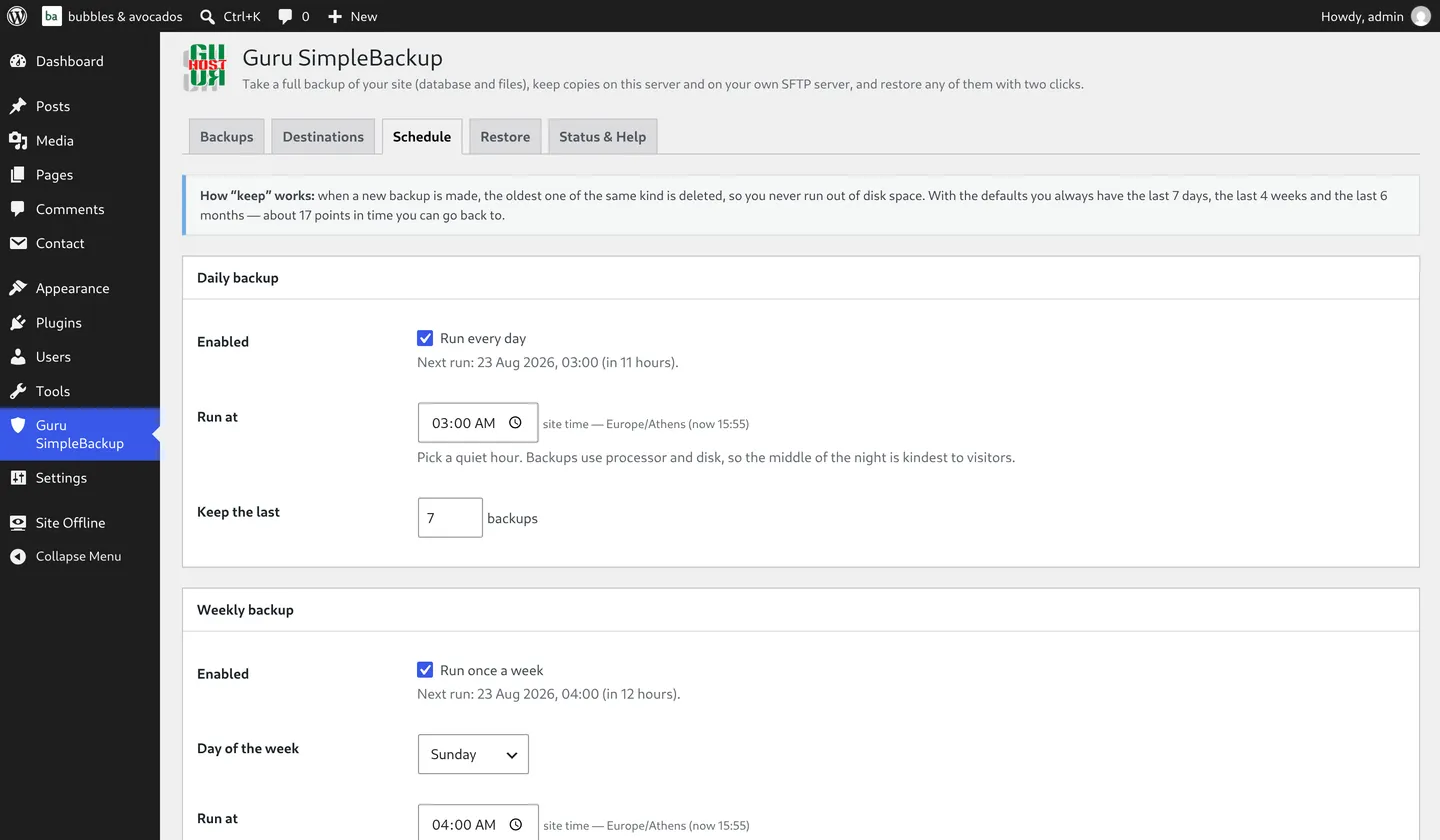
- Daily, weekly and monthly schedules — each with its own time and its own “keep the last N” rule (7, 4 and 6 by default — about 17 points in time you can go back to)
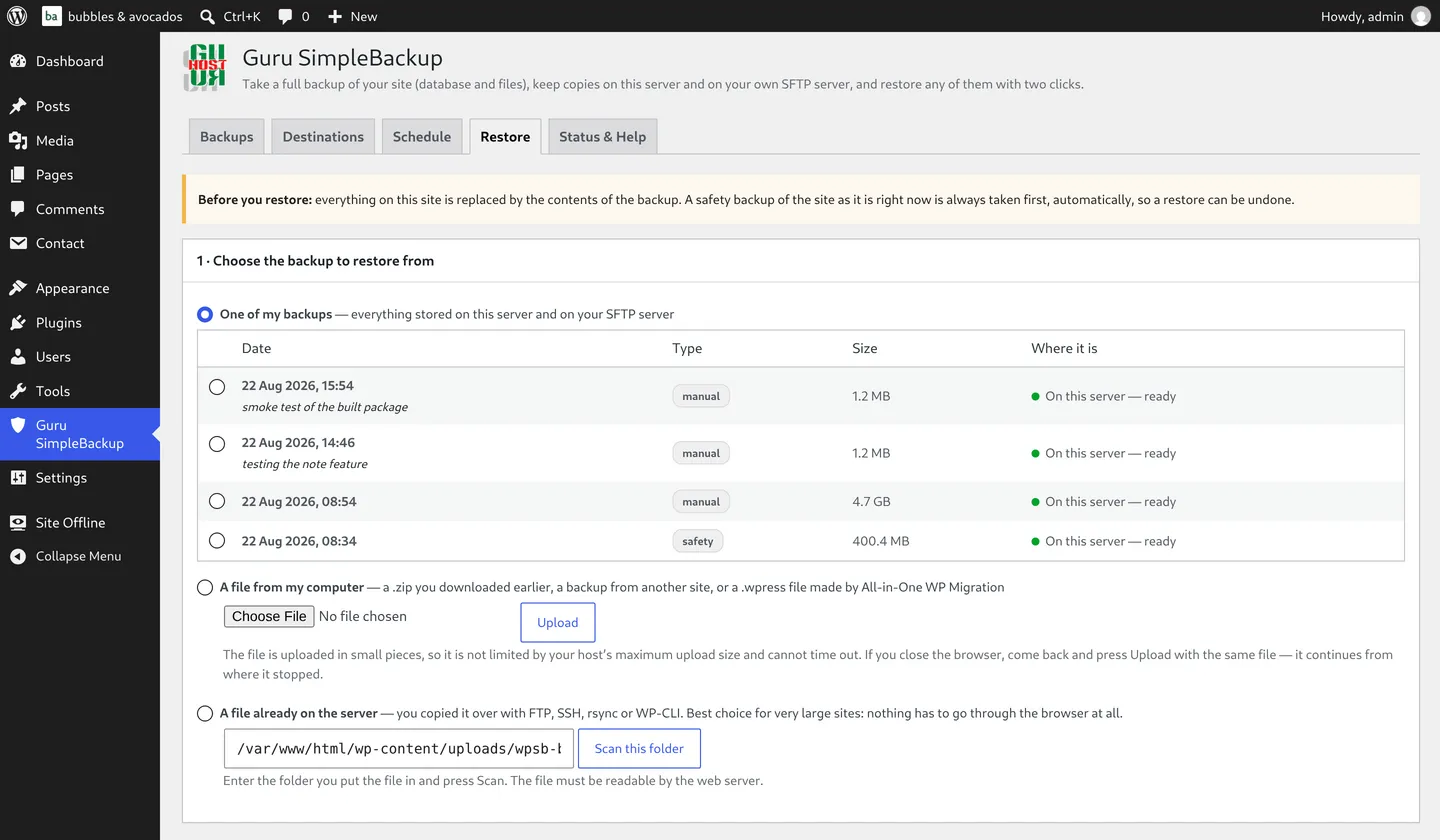
- Two-click restore — from your list of backups, from a file you upload through the browser, or from a file already on the server, which is the best choice for very large sites
- Migrates sites too — restore onto a new server and the stored links are rewritten to the new address automatically
- Switch without being locked in — restores All-in-One WP Migration
.wpressfiles through the same pipeline - A safety backup, always — taken automatically before every restore, so it can be undone
- WP-CLI support —
wp simple-backup run,list,restore,test,prune
See It in Action
Built for Real Hosting
Large sites break naive backup plugins because a web server kills long-running requests. Guru SimpleBackup runs in short passes that save their position and continue — exporting the database, packing the archive, uploading it, unpacking it, importing it. Browser uploads are split into pieces, so your host’s upload limit doesn’t matter, and downloads resume if the connection drops.
A 20 GB site backs up on the same shared hosting a 200 MB site does, without any special configuration.
Your Data Stays Yours
There’s no external service and no account required to run backups, and nothing is sent anywhere except the SFTP server you choose yourself. Stored credentials — your SFTP password or SSH key — are encrypted with your site’s own secret keys before they’re saved.
Requirements
- WordPress 6.4 or newer (tested up to 7.1)
- PHP 8.1 or newer
- Any regular WordPress hosting — shared, VPS, or managed
Pricing
€49, once. No subscription, no licence keys, no per-site limits — install it on every site you run. Updates are included for as long as you use it.
Buy Guru SimpleBackup — €49Frequently Asked Questions
Where are my backups kept?
In a protected folder inside your uploads directory, with a random name and a deny rule so nothing can be downloaded directly from the web. You can point it at any other folder, and add your own SFTP server as a second destination.
Is my SFTP password safe?
It’s encrypted with your site’s own secret keys before it’s stored, and never shown again. SSH keys are supported too, and are safer still.
Will it work on a very large site?
Yes. Every stage runs in short passes and continues by itself. For a very large restore, copy the zip to the server with SSH or FTP and choose “a file already on the server”, which skips the browser entirely.
Can I use it to migrate a site to a new server?
Yes. Install WordPress and Guru SimpleBackup on the new server, then restore the zip. Links are updated to the new address automatically.
I’m already using another backup plugin — can I switch?
Backups made by All-in-One WP Migration (.wpress files) restore directly through Guru SimpleBackup: upload the file on the Restore tab, or place it on the server and scan for it. A safety backup is taken first and links are updated the same way as any other restore.
How do updates work?
They’re included. When a new version is available, WordPress shows its usual update notice, and the file is fetched from your Guru-host account — nothing downloads automatically without your say-so.
Buy Guru SimpleBackup
📧 [email protected] 📞 +44 1288 255353
Or use our contact form and mention Guru SimpleBackup — we’ll get you set up.